

PRECISION ILLUSTRATION FOR AEROSPACE & DEFENSE
2D Vector Graphic Software for Aerospace Technical Illustration
neither do we.

When the manual is wrong, the consequences aren't theoretical.
OUR HERO
Aerospace Technical Illustrator
You Don't Need a CAD Seat to Own This Work.
canvasxdraw isn't CAD software, and we don't pretend to be. Your engineers design in CATIA, SolidWorks, or AutoCAD, canvasxdraw is where that data becomes the illustration, the manual, the exploded parts diagram. Import DWG/DXF directly, without licensing a full engineering workstation for every technical writer on the team.
Precision That Meets the Standard.
.035 micron accuracy, dimensioning tools built to IEEE, ANSI, DIN, and JIS standards. When your illustration defines a tolerance, an assembly sequence, or a maintenance step, "close enough" isn't a category that exists here.
Documentation That Survives Revision Control.
Encrypted, password-protected PDF exports. Multi-page technical manuals. Annotated illustrations with SmartLines that stay attached to the geometry through every revision — because aerospace documentation has a paper trail for a reason.
WHAT IS CANVASXDRAW?
Meet canvasxdraw
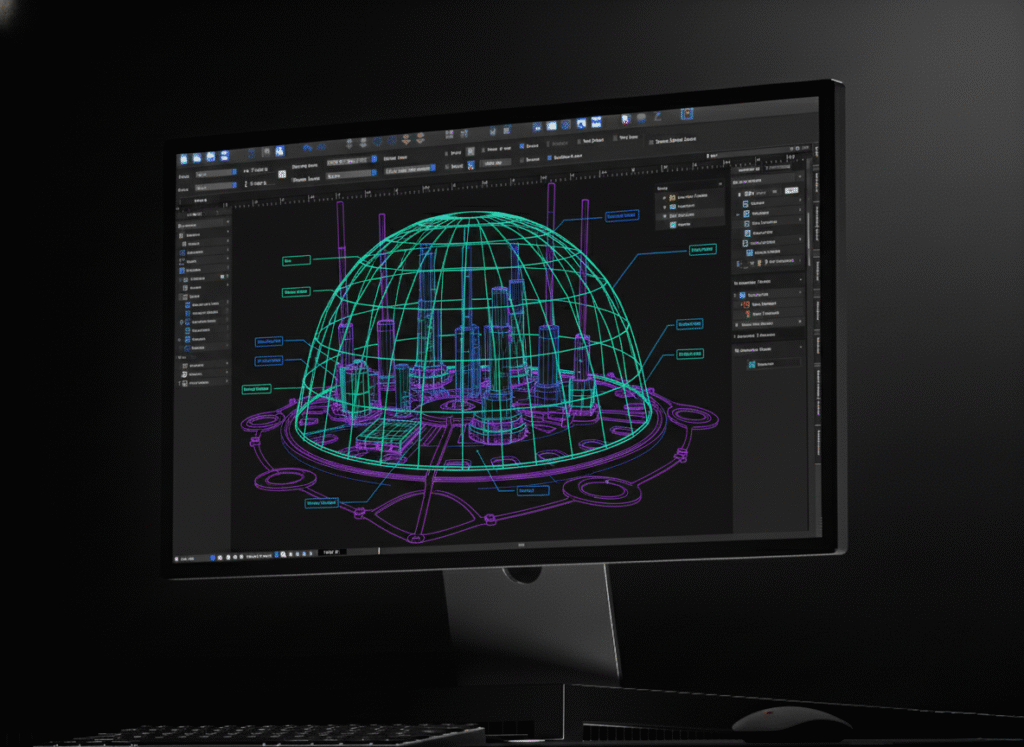
canvasxdraw is precision 2D illustration and authoring software built for the technical writers,
illustrators, and documentation teams working alongside aerospace engineering not the design engineers themselves. It’s where CAD data, scanned drawings, and raw geometry become the parts diagrams, maintenance manuals, and technical publications your programs depend on. Sub-micron accuracy, full AutoCAD file compatibility, and zero compromises on output quality.

HOW DO I USE CANVASXDRAW?
Turn Engineering Data Into Publication-Ready Illustration
Import native AutoCAD files (DWG/DXF) alongside 100+ other formats including CGM standards used across aerospace and defense documentation pipelines. Layer scanned or vector source data with precision markup. Add parametric dimensioning, callouts, and annotations that snap to geometry. Build from Symbol Library parts you reuse across programs or create your own and keep every instance in sync. Export to secure, print-ready, multi-page technical manuals.
WHY SHOULD I USE CANVASXDRAW?
2D Vector Graphic Illustration Software for Teams Who Can't Afford to Guess
Your documentation team shouldn’t need an engineering license to do their job, and your engineers shouldn’t need to moonlight as illustrators. canvasxdraw is the dedicated layer between CAD output and finished technical publication built for accuracy, structured for revision control, and priced so you can put it on every technical writer’s desk, not just one.
Don't Compromise
Click down arrow for more details
Command Every Detail.
Zero Compromise.
Command Every Detail.
Zero Compromise.
Communicate with CAD Files
Import and edit native AutoCAD files with full confidence and precision. canvasxdraw provides
CAD-inspired dimensioning tools, advanced snap settings, and intelligent object handling,
without requiring a CAD license to open, mark up, or publish from that data.
Work Within Industry Standards
Create dimension objects that conform to IEEE, ANSI, DIN, and JIS standards. The same standards your engineering and technical publications teams already answer to.
Articulate with Annotations
Add labels, callouts, and comments with SmartLinesTM that stay connected to the geometry when illustrations get repositioned critical for parts diagrams and maintenance callouts that go through repeated revision cycles.
Share with Assurance
Apply secure encryption and password protection to exported PDFs. Maintain control over who can open, edit, or print controlled technical documents.
Create Documents for Every Purpose
Templates for illustration, publication, and multi page technical manuals, so your team isn’t rebuilding the same document structure from scratch every program.
Trusted on Mission-Critical Programs
For over 20 years, Jeff Sincell, Electrical Systems Engineer on the James Webb Space Telescope, has used
canvasxdraw to produce the interconnection and wiring diagrams that document how JWST is built, electron by electron. His diagram is treated as an ITAR/EAR-controlled document; a clean room approved print of it hangs in the high bay test area at Northrop Grumman, where the integration crew builds the spacecraft.
“Canvasxdraw has every single thing I need to do my job… I’ve always found AutoCAD and Visio to be ponderously overloaded with features, besides being expensive platforms to maintain.”
— Jeff Sincell, Electrical Systems Engineer, James Webb Space Telescope (previously Mars Observer, Mars Global Surveyor, Terra, ICESat)
Aerospace Applications
Aircraft Technical Illustrations
From structural components to full assemblies, canvasxdraw’s vector precision produces aircraft illustrations that hold their accuracy at any scale; a fuselage cross-section and a fastener callout get the same sub-micron treatment.
Aerospace Engineering Diagrams
Communicate complex systems clearly. Layer vector diagrams over CAD-derived source geometry, add callouts and connections, and keep every element aligned to the standards your engineering team already works to (IEEE, ANSI, DIN, JIS).
Aircraft Maintenance Documentation
Build the component-identification illustrations and step-by-step visuals maintenance manuals depend on, with SmartLinesTM annotations that stay attached to the geometry as diagrams get revised across manual updates.
Aviation Training Materials
Turn technical drawings into clear instructional visuals. The same precision that documents a production aircraft also produces the diagrams that teach the next generation of technicians and engineers how it works.
Aerospace Product Documentation
Suppliers and manufacturers use canvasxdraw to produce the technical illustrations that support spec sheets, submittals, and product documentation which is consistent, accurate, and built to be reused across a product line, not redrawn for every document.
Who Uses canvasxdraw for Aerospace Illustration?
Aerospace technical illustrators, aircraft designers, and aerospace engineers, as well as technical writers and engineering documentation teams. Aviation manufacturers, aerospace suppliers, maintenance organizations, and aviation training teams, anyone translating engineering data into a diagram someone else has to trust.
Precision Aerospace Illustration vs. General-Purpose Design Software?
Requirement
Canvasxdraw
General-purpose design software
Native AutoCAD (DWG/DXF) import
Yes
Rarely, without a plugin
Dimensioning to IEEE/ANSI/DIN/JIS standards
Yes
Not typically built in
Sub-micron (.035 micron) precision
Yes
Not a standard spec
Vector + raster in one document
Yes
Varies by tool
Requires a CAD license
No
N/A
Annotation tools that track revisions
Yes (SmartLines™)
Varies by tool
FAQ(Frequently Asked Questions)
Is canvasxdraw mechanical CAD software?
Is canvasxdraw aerospace design software or aerospace engineering design software?
No. Those terms describe the CAD and engineering platforms your team uses to design aircraft and spacecraft systems. Tools like CATIA, SolidWorks, or AutoCAD. canvasxdraw is illustration and documentation software: it’s where that engineering data becomes the finished technical illustration, manual, or diagram. Import native AutoCAD files (DWG/DXF) directly, without owning a CAD license.
What software is used for aircraft technical illustrations?
Aircraft technical illustration typically requires a tool that combines vector precision with the ability to work from engineering source data, without the cost or complexity of a full CAD license. canvasxdraw is built specifically for that role, the illustration and documentation layer, not the design layer.
Does canvasxdraw support vector graphics?
Yes. canvasxdraw is a vector-based illustration tool at its core, combined with full raster image editing in
the same document.
Can I create aircraft component illustrations with canvasxdraw?
Yes. Import source geometry or reference imagery, then build detailed component and assembly illustrations using canvasxdraw’s precision drawing tools, Symbol Library, and annotation features.
Is canvasxdraw suitable for technical documentation?
Yes. canvasxdraw supports multi-page document templates, secure/encrypted PDF export, and annotation tools built for documentation that goes through repeated revisions.
What operating systems does canvasxdraw support?
canvasxdraw is available for Windows (7, 8, 8.1, and 10, 64-bit) and macOS, including native Universal support for Apple Silicon.
FIND YOUR FIT
Pricing Plans
subscribe
buy
Most Popular

All in one graphics software universal for macOS
$199
1 Year Term
- Full Support
- Access to New Versions
- See Requirements
Most Popular

Visualize complex ideas with precision and clarity
$199
1 Year Term
- Full Support
- Access to New Versions
- See Requirements
Most Popular

Combining a rich graphic toolset with sophisticated geospatial data handling
$399
1 Year Term
- Full Support
- Access to New Versions
- See Requirements
Most Popular
All in one graphics software, universal for macOS
$399
perpetual license
- No Renewals. No Cut Off.
Once off Purchase
Access to Version Updates - See Requirements
Most Popular
Visualize complex ideas with precision and clarity
$399
perpetual license
- No Renewals. No Cut Off.
Once off Purchase
Access to Version Updates - See Requirements
Most Popular
Combining a rich graphic toolset with sophisticated geospatial data handling
$949
3 Year Term
- Save $248!
Full Support
Access to New Versions - See Requirements
Offline (air-gapped) licensing available contact sales@vectorgfx.net