Skip to content Skip to footer

PRECISION LINE DRAWINGS FOR PATENT APPLICATIONS

2D Vector Graphic Software for Patent Technical Illustration

YOU DON’T COMPROMISE.
neither do we.
technical illustration software
One rejected drawing can stall a filing for months.

OUR HERO

Patent Illustrator

Built for the Rules That Actually Matter.

Patent drawings live and die by formatting: consistent line weights, correctly numbered reference characters, consecutively numbered views, no stray shading where it isn't allowed. canvasxdraw gives you mathematically precise vector tools built to hold that standard drawing after drawing, not general-purpose illustration software you have to fight into compliance.

From CAD File to Compliant Figure.

Inventors and engineers usually hand you a CAD export, a scan, or a rough sketch. Import DWG/DXF and raster source files directly, then rebuild them as clean, examiner-ready vector line art, without owning a CAD license or reverse-engineering someone else's file format.

Every Reference Numeral, Exactly Where You Left It.

Annotation tools built for callouts and labels, with SmartLines™ that stay attached to the geometry when a figure gets revised. Renumber a figure set without redrawing it from scratch.

WHAT IS CANVASXDRAW?

Patent Drawing Software for Patent Illustrators & IP Teams

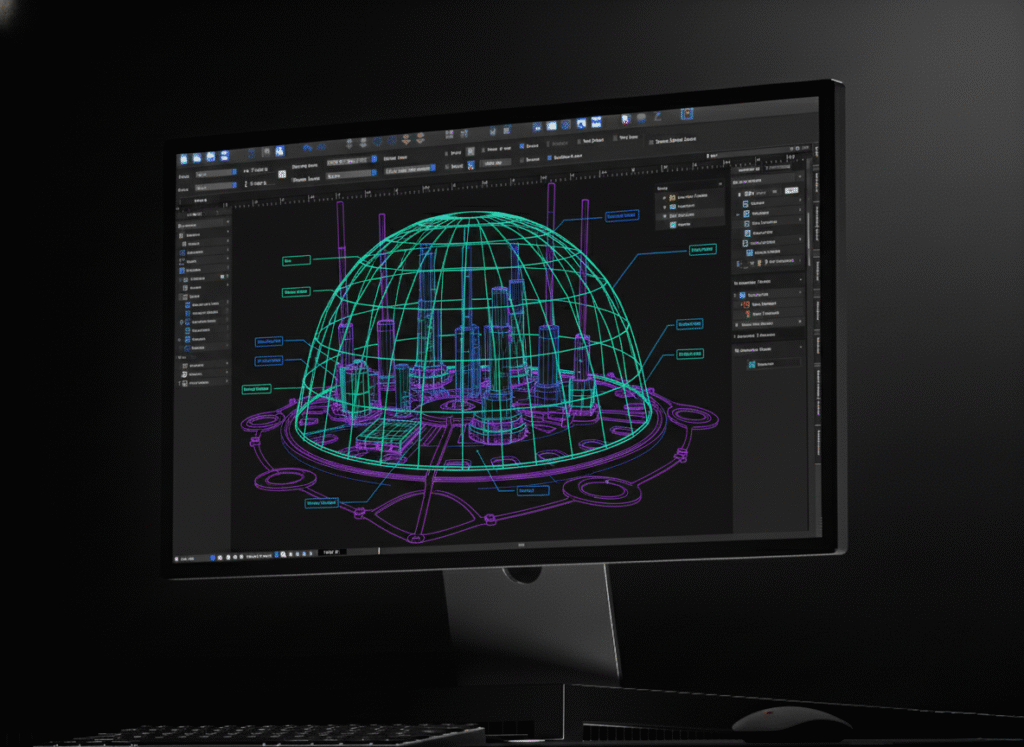
canvasxdraw is precision 2D vector graphics software for patent illustrators and IP drafting teams doing the exacting, rules-bound work of patent drawing. It sits in the gap between general illustration tools like Illustrator, which weren’t built for dimensioned technical accuracy, and full CAD platforms, which are overkill, expensive, and not built for producing formatted patent figures. canvasxdraw gives patent illustrators exactly the precision the job requires and nothing they don’t need.

technical illustration software
Technical Drawing Software

HOW DO I USE CANVASXDRAW?

From Invention Disclosure to Filed Figure

Import CAD files, scanned sketches, or reference images as your starting point. Use Auto Trace to convert a raster reference into clean, editable vector paths. Build consistent line weights and object standards once, then reuse them across every figure in the application. Number and annotate reference characters with tools that keep labels attached to geometry through every revision. Export figures in the format your filing requires, ready for submission.

WHY SHOULD I USE CANVASXDRAW?

Precision Without the Overkill

Patent illustration doesn’t need a CAD license, and it shouldn’t require fighting a general-purpose design tool into technical compliance either. canvasxdraw is purpose-built for the middle ground: vector precision, consistent standards across large figure sets, and annotation tools that hold up through revision after revision at a price that makes sense for a solo patent illustrator or a full IP drafting team.

Engineering Drawing Software

Don't Compromise

Click down arrow for more details

Communicate with CAD Files

Import and edit native AutoCAD files with full confidence and precision and no CAD license required to work from an inventor’s or engineer’s source file.

Autotrace Your Trace

Bridge the raster/vector gap instantly. Convert a scanned sketch or reference photo into clean, editable vector line art with the Auto Trace command.

Articulate with Annotations

Add reference numeral callouts with SmartLines™ that stay connected to the geometry when a figure is repositioned or renumbered.

Add Objects on the Fly

Build a Symbol Library of recurring elements like common mechanical or electronic components, standard callout formats and update every instance at once.

Proficient Printing & Export

Full control over output format and resolution for figures ready to submit exactly as required.

Patent Illustration Applications

Utility Patent Figures

Build the precise, formatted line drawings a utility patent filing requires with consistent line weights and view numbering across the entire figure set.

Design Patent Drawings

Produce the clean, examiner-ready line art design patent applications demand, with shading and surface treatment handled to formatting convention.

Reference Numeral & Callout Systems

Number and annotate reference characters with tools that keep labels attached to geometry and renumber a figure set without redrawing it from scratch.

Multi-Figure Patent Sets

Build consistent line weights and object standards once, then reuse them across every figure in the application, so a full figure set stays visually and formatically consistent.

Patent Prosecution Documentation

Revise figures for office action responses and amendments without starting over. SmartLines™ annotations and synced symbols stay accurate through every revision.

Who Uses canvasxdraw for Patent Illustration?

Patent illustrators, IP drafting teams, and patent agents’ and attorneys’ documentation staff, as well as independent inventors preparing their own filings. Law firm IP departments, patent illustration service bureaus, and corporate patent teams — anyone producing figures that have to survive examiner review.

canvasxdraw vs. General Illustration Software vs. Full CAD

Requirement

Canvasxdraw

General illustration software (e.g., Illustrator)
Full CAD platforms
Built for dimensioned technical accuracy

Yes

No

Yes

Meets patent formatting conventions out of the box

Yes

Requires manual setup
Not built for this
Native CAD file import (DWG/DXF)

Yes

Rare, needs a plugin
Yes, native
Auto Trace (raster reference to vector)

Yes

Varies by tool

Rare

Requires a CAD license

No

No

Yes

Priced for solo illustrators and small IP teams

Yes

Yes

Rarely

FAQ(Frequently Asked Questions)

No. canvasxdraw is illustration software, not CAD software. It’s built for producing the precise, formatted line drawings a patent filing requires. If your source material comes from a CAD file, you can import it directly (DWG/DXF) and work from it without owning a CAD license.

canvasxdraw gives you the precision vector tools, consistent line weights, accurate scaling, numbered annotations to produce drawings that meet USPTO formatting standards (37 CFR 1.84). Final compliance review is still the responsibility of the filer or patent professional.

Yes. canvasxdraw is built specifically for patent illustrators with vector precision, consistent line-weight and numbering standards across a figure set, and annotation tools designed for the revision cycles patent prosecution requires.

Patent drawings typically need a tool with dimensioned vector precision and formatting control that general illustration software lacks, without the cost and complexity of full CAD. canvasxdraw is built specifically for that role. It is the middle ground between the two.

Yes. canvasxdraw is a vector-based illustration tool at its core, combined with full raster image editing in the same document.

Yes. Build consistent line weights and object standards once, then reuse them across every figure in a set, with reference numerals and annotations that stay attached to geometry through revisions.

canvasxdraw is available for Windows (7, 8, 8.1, and 10, 64-bit) and macOS, including native Universal support for Apple Silicon.

FIND YOUR FIT

Pricing Plans

subscribe

buy

Most Popular


All in one graphics software universal for macOS

1 Year Term

Most Popular


Visualize complex ideas with precision and clarity

1 Year Term

Most Popular


Combining a rich graphic toolset with sophisticated geospatial data handling

1 Year Term

Most Popular


All in one graphics software, universal for macOS

perpetual license

Most Popular


Visualize complex ideas with precision and clarity

perpetual license

Most Popular


Combining a rich graphic toolset with sophisticated geospatial data handling

3 Year Term

Offline (air-gapped) licensing available contact sales@vectorgfx.net

View System requirements for Mac or Windows here