

Automotive Design Software for Precise Technical Drawings
neither do we.

A wiring diagram is only useful if every line is right.
OUR HERO
Automotive Technical Illustrator
Not a Design Tool. The Documentation Layer.
Canvasxdraw isn't automotive CAD software or automotive design software. Your engineering teams still design in CATIA or SolidWorks. canvasxdraw is where that engineering data becomes the exploded parts diagram, the wiring schematic, or the service manual a technician uses on the shop floor.
Every Circuit, Every Fastener, Exact.
.035 micron precision and dimensioning tools conformant to IEEE, ANSI, DIN, and JIS standards because a mislabeled wire or a wrong torque callout in a service manual isn't a cosmetic error.
Parts Catalogs That Update Themselves.
Build a Symbol Library of recurring components like fasteners, connectors, standard parts. Change one, and every exploded view and parts diagram referencing it updates automatically across the catalog.
WHAT IS CANVASXDRAW?
Automotive Drawing Software for Service Manuals & Parts Catalogs
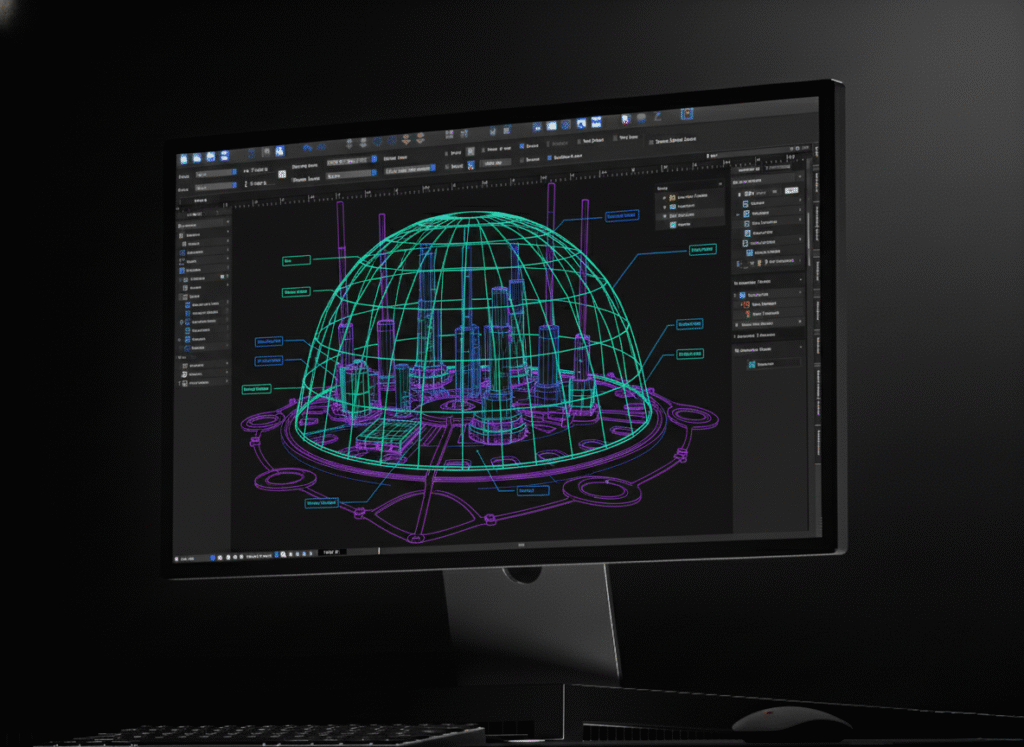
canvasxdraw is automotive drawing software built for the technical illustrators and documentation teams behind automotive service manuals, wiring diagrams, and parts catalogs. It’s not CAD software or automotive design software. It’s the dedicated layer between engineering CAD output and the finished technical publication, with full AutoCAD file compatibility built in.

HOW DO I USE CANVASXDRAW?
From Engineering Data to Shop-Floor Diagram
WHY SHOULD I USE CANVASXDRAW?
Documentation That Keeps Pace With Every Model Year
Automotive documentation lives and dies on accuracy and volume in a single platform can mean thousands of parts diagrams and wiring variants across trims and model years. canvasxdraw eliminates the redraw-from-scratch cycle: update a symbol once, and every diagram referencing it updates automatically. Built for teams producing documentation at scale, not one-off illustrations.

Don't Compromise
Click down arrow for more details
Every Wire, Every Fastener,
Accounted For.
Every Wire, Every Fastener,
Accounted For.
Communicate with CAD Files
Import and edit native AutoCAD files with full confidence and precision and no CAD license required to work from engineering source data.
Work Within Industry Standards
Add Objects on the Fly
Articulate with Annotations
Create Documents for Every Purpose
Automotive Applications
Exploded Parts & Assembly Diagrams
From a single fastener to a full assembly, canvasxdraw’s vector precision produces exploded-view diagrams that hold their accuracy at any scale.
Wiring & Circuit Diagrams
Build wiring schematics where every connector, wire, and fastener callout is exact with SmartLines™ annotations that stay attached to the geometry through every revision.
Service & Repair Documentation
Produce the step-by-step illustrations service manuals depend on, built to survive repeated revisions as parts and procedures change across model years.
Parts Catalogs Across Model Years
Update a symbol once, and every exploded view and parts diagram referencing it updates automatically, built for catalogs that span trims, options, and model years, not one-off diagrams.
Automotive Product Documentation
Suppliers and manufacturers use canvasxdraw to produce the technical illustrations that support spec sheets and product documentation which is consistent, accurate, and reusable across a product line.
Who Uses canvasxdraw for Automotive Illustration?
Precision Automotive Illustration vs. Other Tools
Requirement
Canvasxdraw
Yes
Varies, often tied to source CAD system
Yes
N/A
Typically tied to one vendor’s ecosystem
Yes
Not typically built in
Varies by product
Yes
Not a standard spec
Varies by product
No
N/A
Often yes, or a paid add-on
Yes
Varies by tool
Varies by product
FAQ(Frequently Asked Questions)
Is canvasxdraw automotive CAD software or automotive design software?
How is canvasxdraw different from CAD-vendor illustration add-ons like SolidWorks Composer?
What software is used for automotive parts diagrams and wiring schematics?
Does canvasxdraw support vector graphics?
Does canvasxdraw support vector graphics?
Can I create exploded views and wiring diagrams with canvasxdraw?
Is canvasxdraw suitable for technical documentation?
What operating systems does canvasxdraw support?
FIND YOUR FIT
Pricing Plans
subscribe
buy
Most Popular

All in one graphics software universal for macOS
$199
1 Year Term
- Full Support
- Access to New Versions
- See Requirements
Most Popular

Visualize complex ideas with precision and clarity
$199
1 Year Term
- Full Support
- Access to New Versions
- See Requirements
Most Popular

Combining a rich graphic toolset with sophisticated geospatial data handling
$399
1 Year Term
- Full Support
- Access to New Versions
- See Requirements
Most Popular
All in one graphics software, universal for macOS
$399
perpetual license
- No Renewals. No Cut Off.
Once off Purchase
Access to Version Updates - See Requirements
Most Popular
Visualize complex ideas with precision and clarity
$399
perpetual license
- No Renewals. No Cut Off.
Once off Purchase
Access to Version Updates - See Requirements
Most Popular
Combining a rich graphic toolset with sophisticated geospatial data handling
$949
3 Year Term
- Save $248!
Full Support
Access to New Versions - See Requirements
Offline (air-gapped) licensing available contact sales@vectorgfx.net