"Full AutoCAD compatibility" gets thrown around a lot in this industry. It's worth being specific about what that claim actually means, because DXF and DWG aren't interchangeable, and the differences between them determine exactly what does and doesn't make it through an import intact.
Two Formats, Not One
DWG is AutoCAD's native binary format, and…
A file format conversion isn't a neutral pass-through. Every format represents geometry, text, and metadata using its own internal rules, and converting between them means translating from one rule set to another. Translation is where data gets dropped, not because software is careless, but because the source format sometimes describes something the target format has…
We know our audience doesn't need convincing prose about how great a piece of software is. You want to know how something actually works, whether it holds up under real conditions, and what happens when it doesn't. So that's what September is about.
What We're Covering
This month, we're running eight posts split across two…
11 Episodes, One Place to Find Them All
Over the past several months, we've been building a video library aimed at one thing: helping canvasxdraw users get more out of the features they already have. No fluff, no filler, just the exact clicks and workflows our team (and one very special guest) uses every day. …
How to Wrap Text Along an Object
We touched on writing text along a path back in Episode 3, but this episode goes further, showing you the full set of positioning controls you get once your text is following an object's shape.
What You'll Learn
The Text Path tool lets you wrap text along any…
Charts Overview
This episode, the Vector GFX team walks through building charts directly in canvasxdraw. This is a fast way to turn raw data into visually clear patterns, comparisons, and trends without leaving your document.
What You'll Learn
Instead of building a chart in a separate spreadsheet program and importing a static image, canvasxdraw lets…
Episode 9: Smart Tools
This episode, the Vector GFX team shows you Smart Snaps. This is a fast way to get objects perfectly aligned and evenly distributed without measuring or eyeballing a thing.
What You'll Learn
Alignment is one of those small details that quietly signals a polished illustration from a sloppy one. canvasxdraw's Smart…
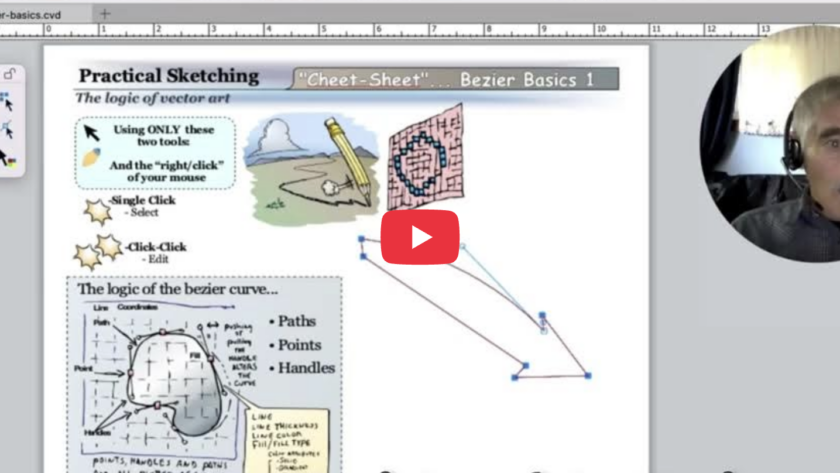
This episode, the Vector GFX team shows you the Curve tool, how to draw smooth, controlled lines, switch direction mid-curve, and swap between curved and straight segments without starting over.
What You'll Learn
The Curve tool gives you full control over a path as you draw it: where it curves, how sharply, and when it…
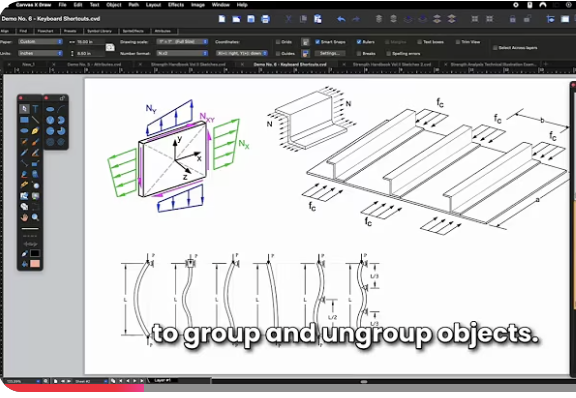
An Engineer's Guide to Grouping, Combining, and Working with Objects
This episode comes from someone who's used canvasxdraw almost daily for over 20 years: Paul Dufour, retired Boeing Technical Fellow in Aerospace Structures, and a longtime canvasxdraw champion. Paul has walked us through why good technical illustration matters to design engineers. He understands and uses…
This episode, the Vector GFX team shows you the Vector Fill tool, a faster way to color different objects inside canvasxdraw, and one of the tools that pairs most naturally with Autotrace.
What You'll Learn
Vector Fill is built to work hand-in-hand with autotraced images, so if you haven't watched Episode 2 on the Autotrace tool yet, it's worth a quick look first this episode…
We've covered symbols, autotrace, and text tools. This episode builds on your custom color palette (created in the Color Presets window) and shows you how to actually apply those colors to both rasterized images and vector objects.
What You'll Learn
Rasterized images, like a JPEG, are made of pixels with soft, pixelated edges. Vector objects, like an SVG, have sharp, calculated edges.…
So far we've covered building your Symbol Library and using Autotrace to turn images into vectors. This episode is all about text — placing it, styling it, running it along a path, and organizing it into tables.
What You'll Learn:
canvasxdraw's text tools will feel familiar if you've used other authoring software, but they come with the same precision and flexibility canvasxdraw applies to everything…