If you are a technical writer, your goal is clarity and speed. Using a general graphic design tool for a technical manual is like using a hammer to turn a screw. It might work, but it’s not the right tool for the job.
Here is how focusing on a specialized technical workflow with canvasxdraw solves…
For technical writers and patent draftspersons, software isn't just a creative outlet; it’s a precision tool. If your current application feels like it's fighting you, it’s likely missing these five industry-standard capabilities.
Here is what you need to look for and how canvasxdraw streamlines each one.
1. Smart Isometric & Axonometric Grids
The Need: Creating…
Why canvasxdraw is the Gold Standard for Technical Illustrators
In the world of technical illustration, "close enough" is a dangerous phrase. Whether you are drafting a schematic for a medical device, a blueprint for an aerospace component, or a complex flowchart for a biotech patent, a single pixel of error or a rounded measurement can…
Why an All-in-One Workspace is the Cornerstone of Technical Illustration
In the fast-paced world of technical illustration and creative design, the "software shuffle" is a known productivity killer. Exporting a vector file from one app, importing it into a photo editor for textures, and then jumping into a CAD viewer just to verify a dimension…
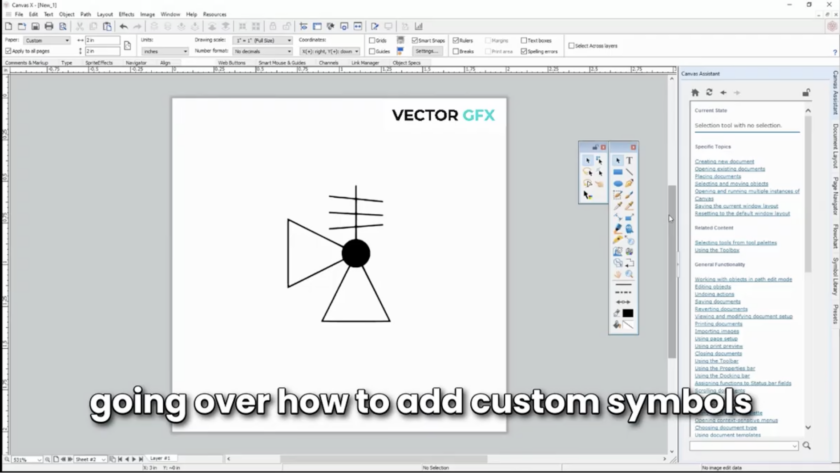
PROBLEM: Does looking for the right symbol slow down your workflow to complete your technical illustration:
Learn how to use the Master the Symbol Library in canvasxdrawfor Mac
In the world of technical illustration and graphic design, speed and precision are the names of the game. Whether you’re mapping out a complex floor plan, designing…
If you’re a technical illustrator, you’ve lived through this nightmare: a colleague sends you a critical asset, but it’s in a format your software doesn't like. You spend forty minutes hunting for a converter, only to find that your vector lines have turned into a blurry mess of pixels, or worse, your layers have completely…
Getting Started with canvasxdraw for Mac
Welcome to the new era of canvasxdraw, now fully optimized as a native Mac experience. Whether you’re a long-time loyalist returning to the platform or a newcomer looking for a powerhouse alternative to overly complex CAD software, your trial is the gateway to a more efficient workflow.
canvasxdraw is…
In the world of high-stakes research—at institutions like the NIH, Cleveland Clinic, and Mayo Clinic—the distance between a groundbreaking discovery and a successful grant often comes down to a single image.
For years, researchers have been forced into a difficult compromise: use "consumer-grade" design tools that lack technical accuracy, or struggle with complex Windows-based CAD…
For years, the IP industry has defaulted to using complex 3D CAD software to produce 2D patent drawings. The result? Over-complicated workflows, expensive seat licenses for features that never get used, and a steep learning curve that slows down the filing process.
With the arrival of canvasxdraw for MAC, there is finally a native, professional-grade…
Why Loyalty is Our Most Important Spec
In the world of 2D technical illustration, we talk a lot about precision. We talk about line weights, compatibility, and the mathematical perfection of a vector curve. But as we’ve been beta testing the new canvasxdraw for Mac (Native/Universal), we’ve been reminded of a metric that doesn’t show…
I’ve spent a lot of my life on a field. From my days playing and coaching college ball and now working with high school teams, I’ve learned that you’re only as good as the fundamentals of your game. I’ve been in the software industry for a long time, and somehow, the "Coach" nickname followed me…
If you are a technical illustrator or engineer working on a Mac, you’ve likely felt like a second-class citizen in the software world. You’ve probably looked at CorelDRAW Technical Suite only to realize the "Technical" part of the name disappears the moment you switch operating systems.
1. Native & Universal: Built for the Modern Mac
Unlike the competition, canvasxdraw isn’t just "compatible" with Mac; it is…